Refresh Rate Checker
Verify your display's true capabilities. Our real-time engine accurately measures your monitor's hardware refresh rate and browser rendering speed (FPS).
Watch the block above. At higher refresh rates (like 120Hz or 144Hz), the movement will appear significantly smoother with less motion blur compared to 60Hz.
What is Display Refresh Rate (Hz)?
Refresh rate is the frequency per second that a display hardware refreshes its rendered image, measured in Hertz (Hz). A standard 60Hz display updates every 16.6ms, while 144Hz updates every 6.94ms and 240Hz updates every 4.16ms, dramatically reducing motion blur and perceived input lag.
What is a Screen Refresh Rate?
A screen refresh rate is the number of times per second your monitor draws a new image on the screen, measured in Hertz (Hz). For example, a 60Hz monitor draws 60 images per second. Higher refresh rates result in smoother motion and less blurring in fast-moving scenes.
Common Refresh Rates (Hz)
| Refresh Rate | Primary Use Case | User Experience |
|---|---|---|
| 60 Hz | Office Work, Browsing, TV | Standard (Baseline smoothness) |
| 120 Hz | Smartphones, Console Gaming | Very Smooth (Fluid scrolling) |
| 144 Hz | PC Gaming (Entry/Mid) | Excellent (Competitive edge) |
| 240 Hz+ | Professional Esports | Maximum Clarity (Zero blur) |
Frequently Asked Questions
Everything you need to know about your monitor's refresh rate.
What is a Refresh Rate (Hz)?
The refresh rate of your display is the number of times per second that the image updates on the screen. It is measured in Hertz (Hz). For example, a 60Hz monitor updates its display 60 times every second.
Why does my screen look blurry when I scroll quickly on web pages?
Scrolling blurriness is caused by a combination of standard 60Hz refresh rates and slow liquid crystal pixel response times (G2G). Moving to a 120Hz or 144Hz+ high-refresh monitor cuts frame persistence in half, keeping text sharp and readable during fast scrolling.
Why does running 300+ FPS matter if my monitor is only 144Hz or 240Hz?
Even if your monitor only displays 144 or 240 frames each second, rendering 300+ FPS inside the game engine ensures that the frame grabbed by the display is as recent as possible (reducing input lag) and provides tighter, more consistent frame pacing.
Why is a higher refresh rate better?
A higher refresh rate provides a noticeably smoother and more fluid visual experience. This is especially important for fast-paced gaming, reducing motion blur, and making everyday tasks like scrolling text feel much more responsive.
How accurate is this online refresh rate test?
This tool uses the browser's native requestAnimationFrame API to precisely measure how many frames are being drawn per second (FPS). As long as your browser and hardware acceleration are functioning properly, this matches your display's actual refresh rate.
Is 60Hz or 144Hz better for gaming?
144Hz is significantly better for gaming than 60Hz. It displays more than twice as many frames per second, which reduces input lag and motion blur, giving players a competitive advantage in fast-paced shooter or racing games.
Why is my 144Hz monitor stuck at 60Hz?
Monitors often default to 60Hz out of the box. To fix this on Windows, go to Display Settings > Advanced display > Choose a refresh rate. Also, ensure you are using a DisplayPort cable or a high-bandwidth HDMI 2.0+ cable, as older cables may not support high refresh rates.
What is the refresh rate meaning in a monitor?
The refresh rate meaning refers to how many times per second the display hardware updates its buffer. A higher refresh rate in monitor means smoother motion and less flickering, which is especially important for gaming and computer graphics.
How does this refresh rate checker perform a test?
This online refresh rate checker performs a refresh rate test by using your browser's requestAnimationFrame API to count exactly how many frames are drawn per second. This provides an accurate refresh rate check without needing external software.
What is the refresh rate of modern smartphones and iPhones in 2026?
In 2026, modern Pro model iPhones and flagship Android smartphones feature dynamic ProMotion variable refresh rate displays up to 120Hz or 144Hz, while standard models typically use 60Hz displays. Our refresh rate check tool can verify your specific device's capability.
Recommended Technical Guides
 7 min read
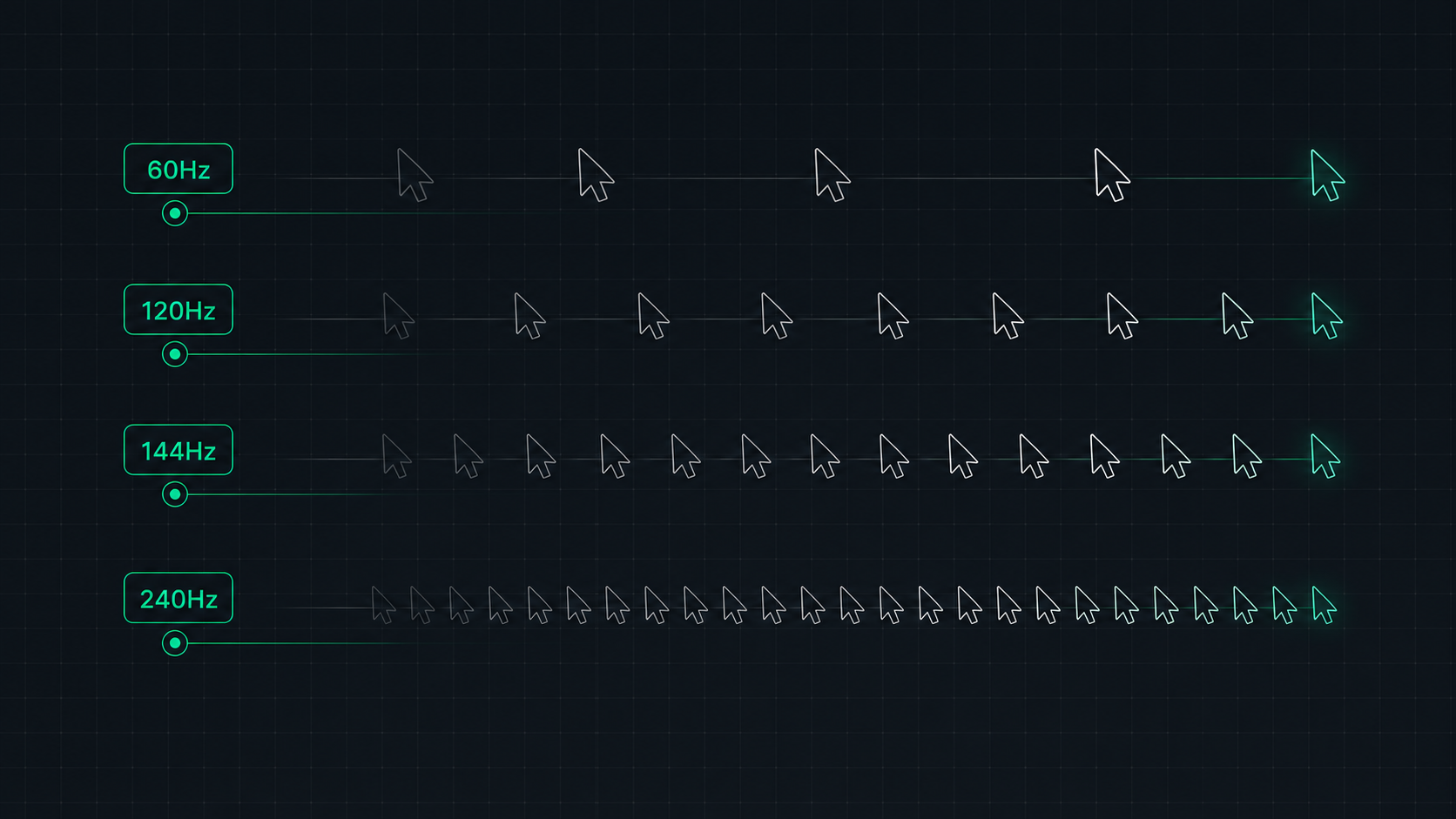
Monitor Refresh Rate Explained: 60Hz vs 120Hz vs 144Hz vs 240Hz
Understand monitor refresh rates and how they impact gaming, video, and everyday use. Learn the real difference between 60Hz, 120Hz, 144Hz, and 240Hz displays and which is right for your setup in 2026.
 9 min read
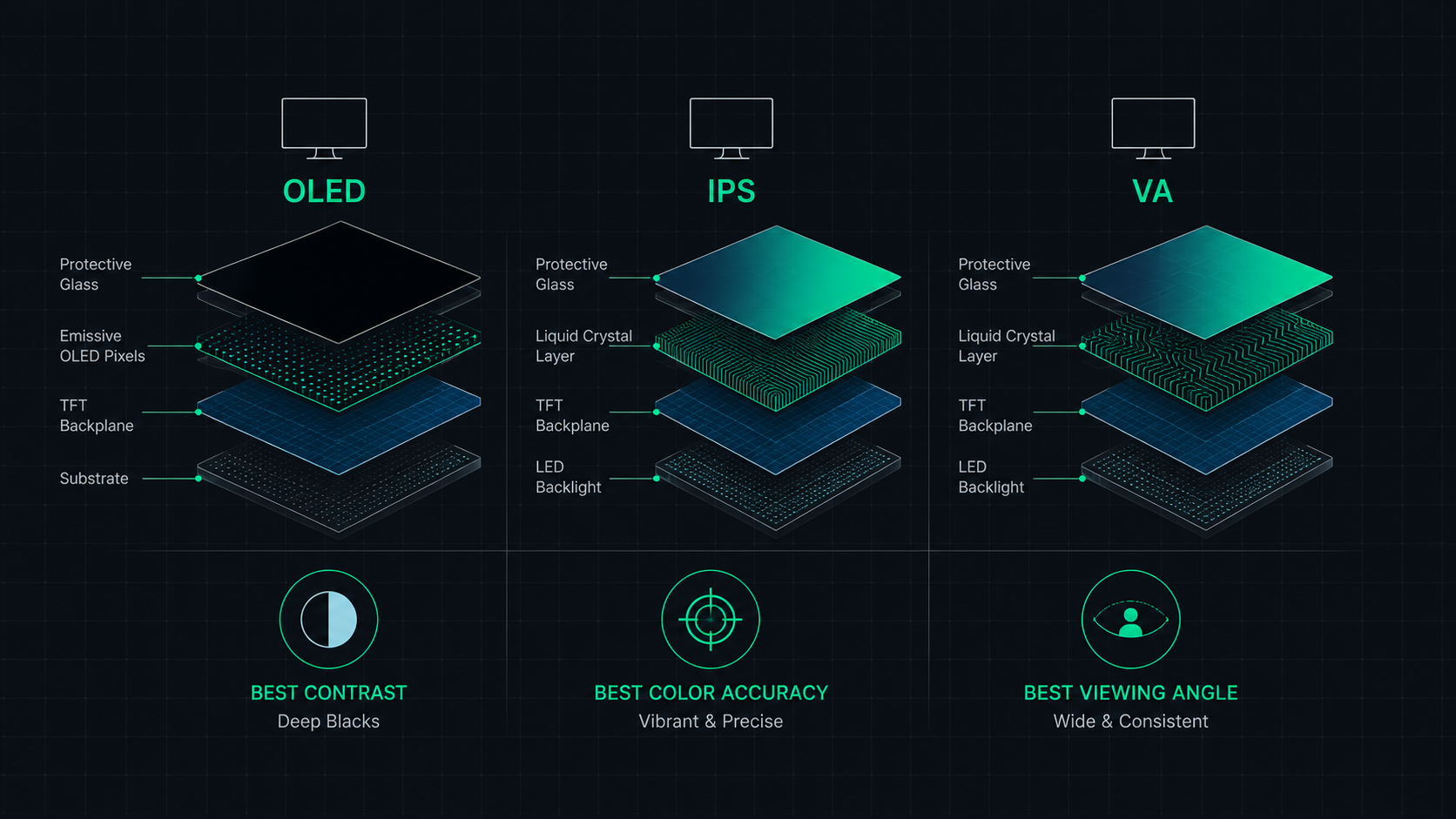
OLED vs IPS vs VA: Which Monitor Panel Type Is Best for You?
Complete comparison of OLED, IPS, and VA monitor panel technologies for gaming, creative work, and everyday use. Understand the trade-offs of contrast, color accuracy, response time, and burn-in risk to make the right choice in 2026.
 8 min read
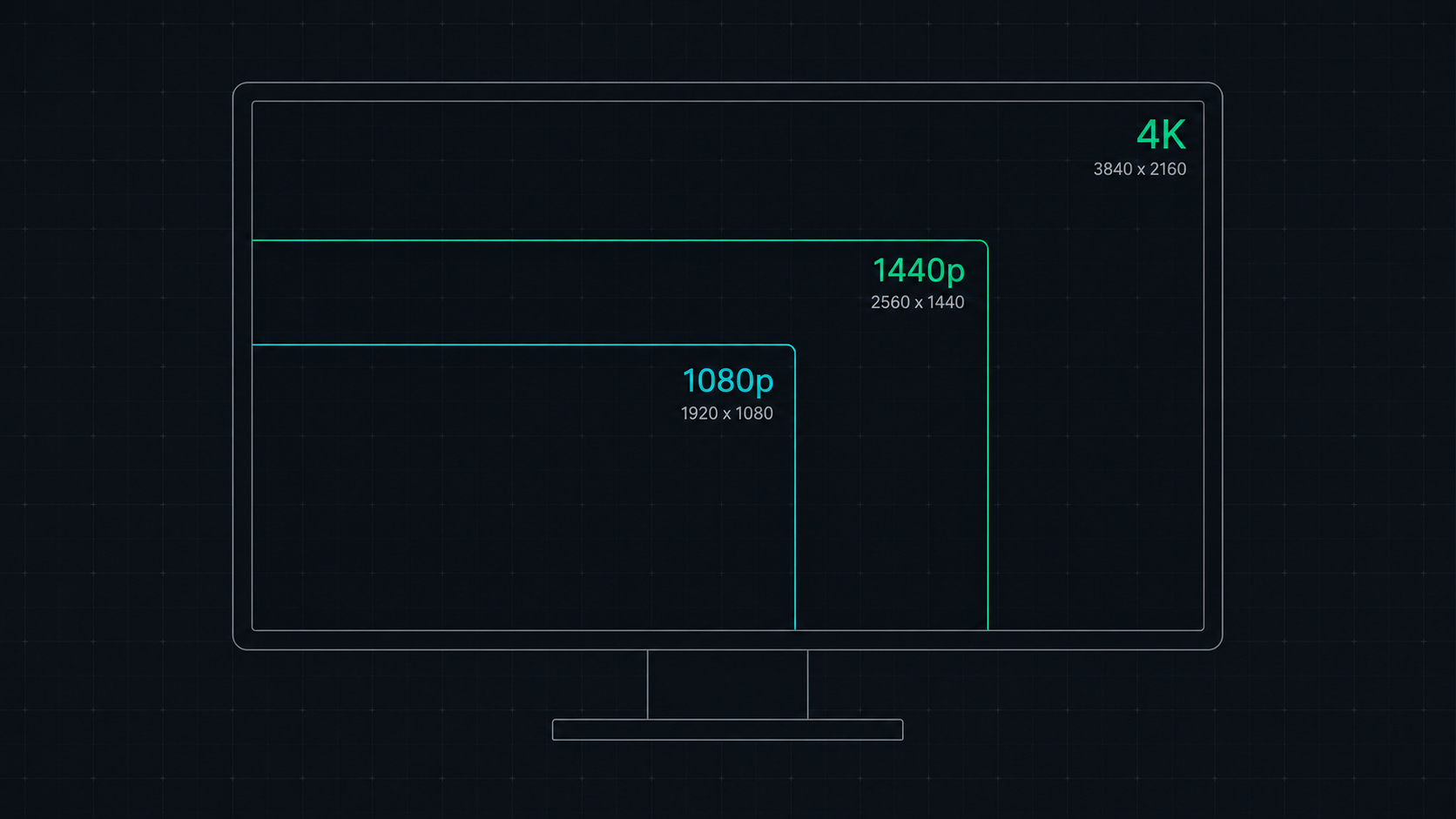
1080p vs 1440p vs 4K: Which Resolution Is Right For You in 2026?
Comprehensive comparison of 1080p, 1440p, and 4K resolutions for gaming, work, and creative use. Find out which screen resolution is worth it in 2026 based on your monitor size, GPU, and viewing distance.