Best Monitors For Valorant (2026)
Tested and ranked for lowest input lag, 240Hz+ refresh rates, crosshair clarity, and pro tournament performance.
ASUS ROG Swift PG259QN
1920x1080 | IPS | 1ms
- ✓ Sub-1ms Pixel Response
- ✓ Low Motion Blur Strobing
- ✓ Esports Panel Adjustment
ASUS ROG Swift PG27AQN
2560x1440 | IPS | 1ms
- ✓ Sub-1ms Pixel Response
- ✓ Low Motion Blur Strobing
- ✓ Esports Panel Adjustment
Dell Alienware AW2721D
2560x1440 | IPS | 1ms
- ✓ Sub-1ms Pixel Response
- ✓ Low Motion Blur Strobing
- ✓ Esports Panel Adjustment
Samsung Odyssey G7 32
2560x1440 | VA | 1ms
- ✓ Sub-1ms Pixel Response
- ✓ Low Motion Blur Strobing
- ✓ Esports Panel Adjustment
Samsung Odyssey G9
5120x1440 | VA | 1ms
- ✓ Sub-1ms Pixel Response
- ✓ Low Motion Blur Strobing
- ✓ Esports Panel Adjustment
Acer Predator XB273U GX
2560x1440 | IPS | 0.5ms
- ✓ Sub-1ms Pixel Response
- ✓ Low Motion Blur Strobing
- ✓ Esports Panel Adjustment
Valorant Monitor Buyer's FAQ
What is the best refresh rate for Valorant in 2026? ↓
240Hz or 360Hz is the gold standard for competitive Valorant. Because Valorant is highly CPU-bound, most modern gaming PCs can push 300+ FPS, making 240Hz–540Hz displays crucial for maximum motion clarity.
Does DyAc / Motion Blur Reduction help in Valorant? ↓
Yes. Backlight strobing technologies like BenQ ZOWIE DyAc2 or Asus ELMB reduction eliminate motion blur during rapid crosshair micro-adjustments and target tracking.
Should I play Valorant on 1080p, 1440p, or 4K? ↓
Most Valorant pros play on 24-inch 1080p or 27-inch 1440p screens. 24-inch 1080p keeps your entire field of vision in view without needing neck movement, while 1440p 240Hz OLED provides sharper crosshairs.
Recommended Technical Guides
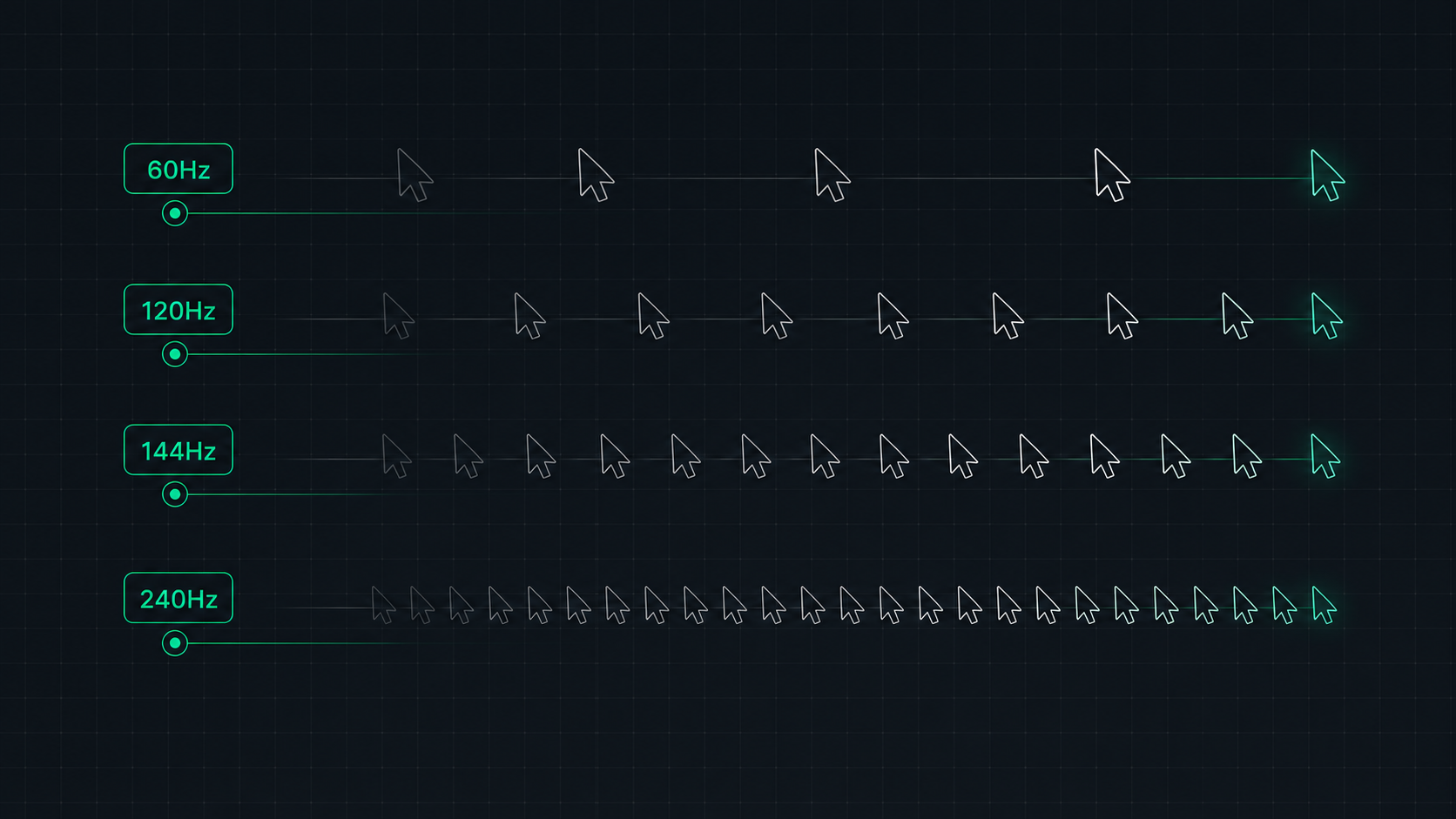 7 min read
Monitor Refresh Rate Explained: 60Hz vs 120Hz vs 144Hz vs 240Hz
Understand monitor refresh rates and how they impact gaming, video, and everyday use. Learn the real difference between 60Hz, 120Hz, 144Hz, and 240Hz displays and which is right for your setup in 2026.
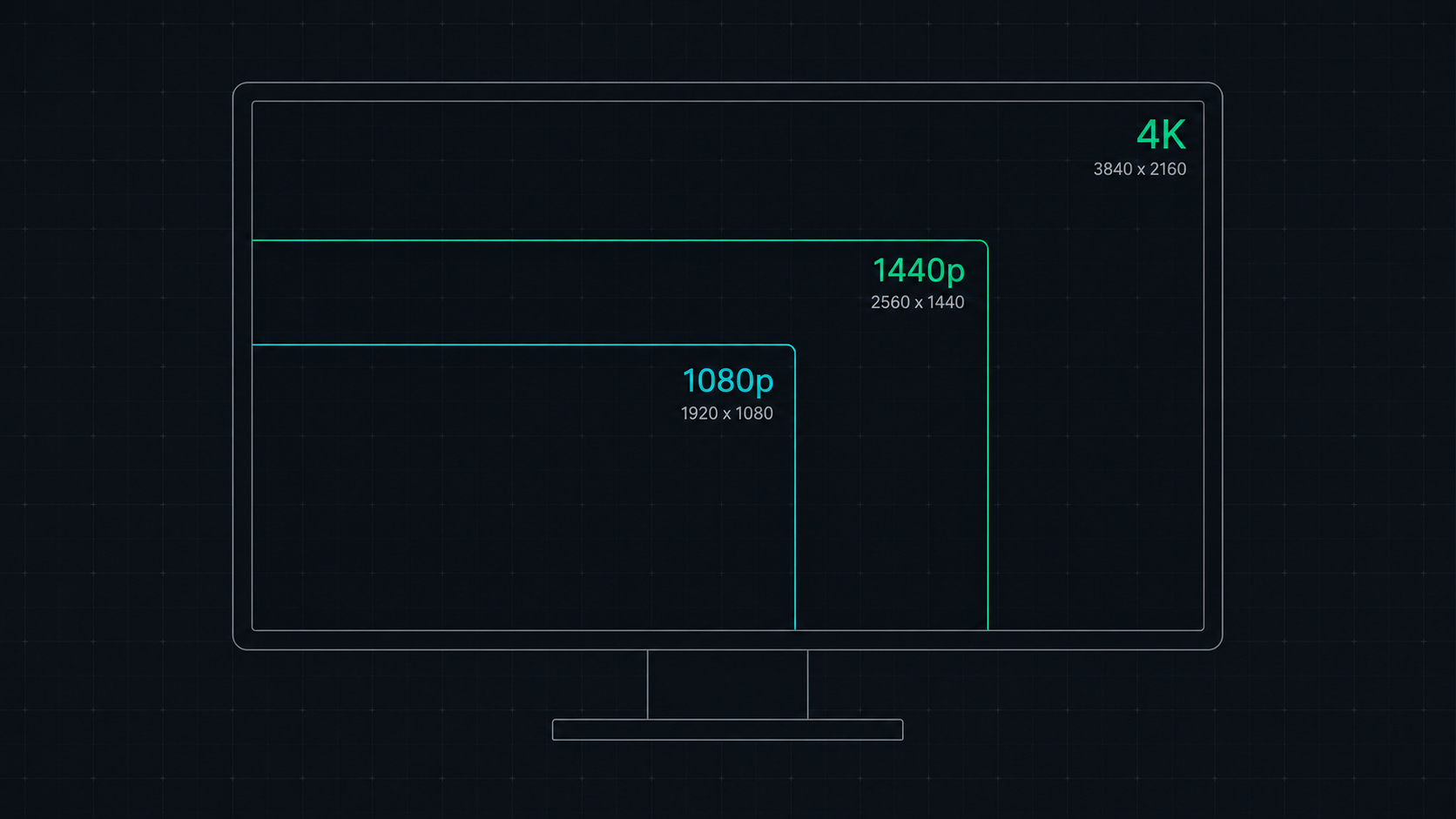 8 min read
1080p vs 1440p vs 4K: Which Resolution Is Right For You in 2026?
Comprehensive comparison of 1080p, 1440p, and 4K resolutions for gaming, work, and creative use. Find out which screen resolution is worth it in 2026 based on your monitor size, GPU, and viewing distance.
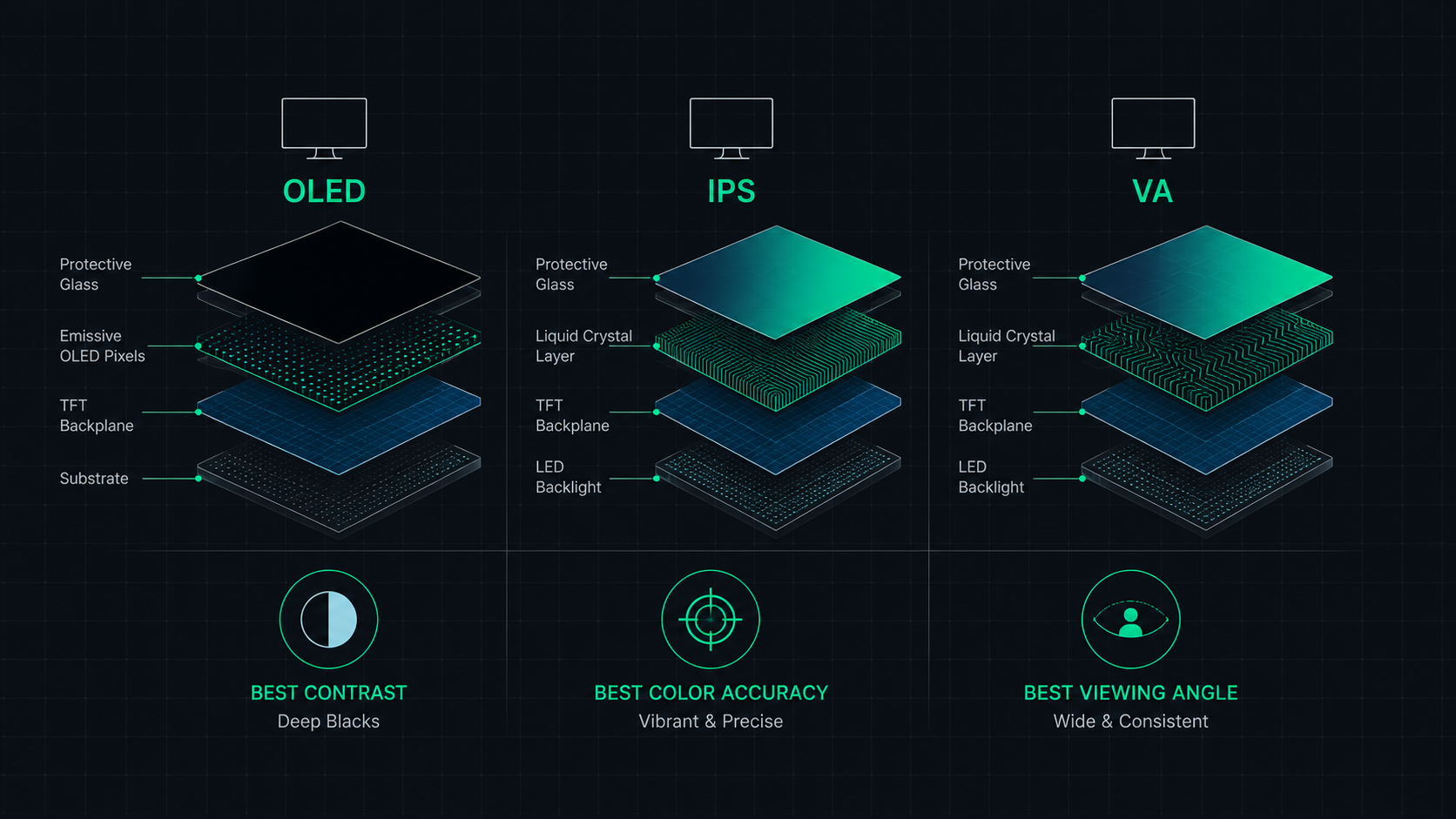 9 min read
OLED vs IPS vs VA: Which Monitor Panel Type Is Best for You?
Complete comparison of OLED, IPS, and VA monitor panel technologies for gaming, creative work, and everyday use. Understand the trade-offs of contrast, color accuracy, response time, and burn-in risk to make the right choice in 2026.