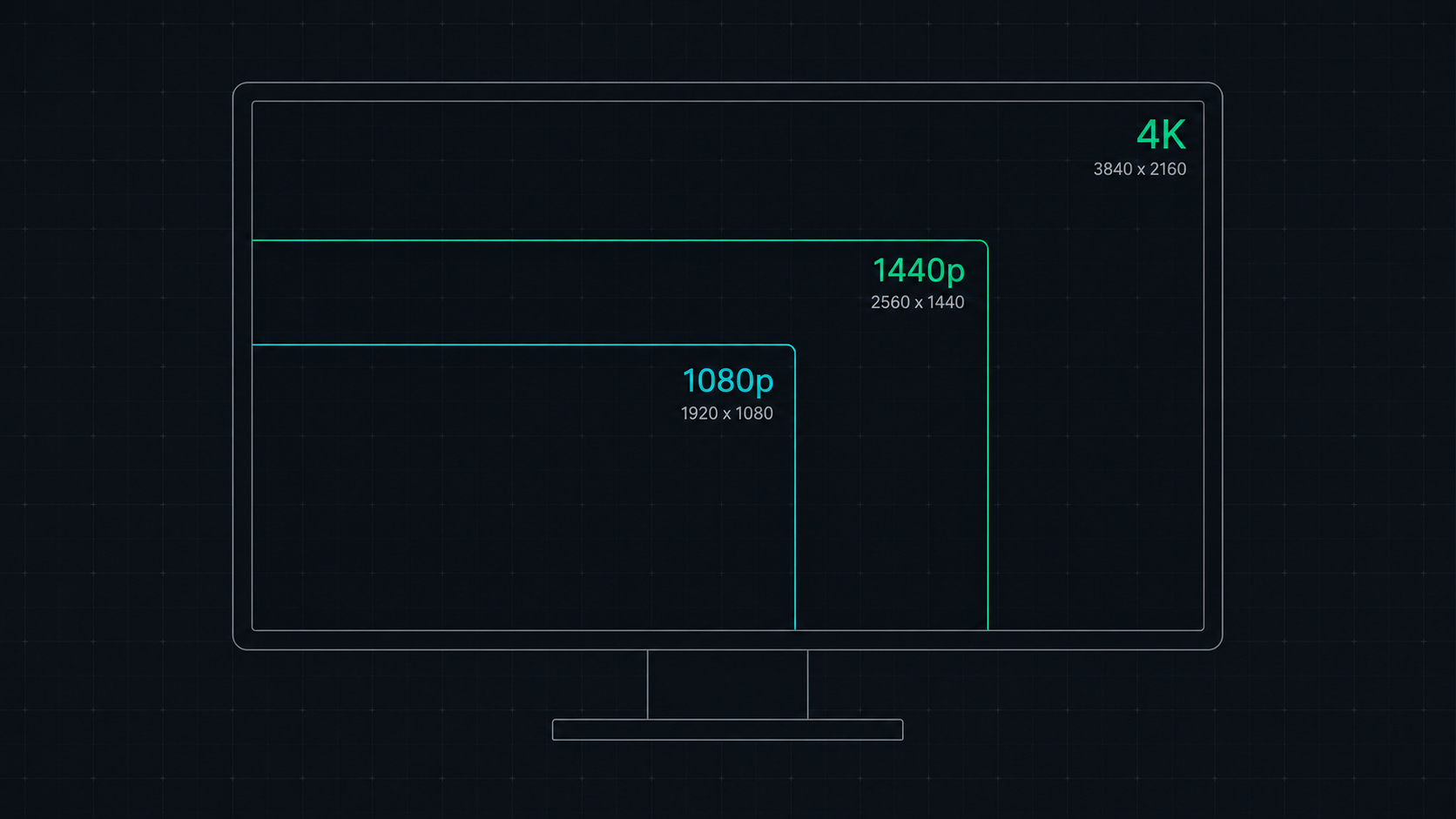
Comprehensive comparison of 1080p, 1440p, and 4K resolutions for gaming, work, and creative use. Find out which screen resolution is worth it in 2026 based on your monitor size, GPU, and viewing distance.
The Quick Answer
In 2026, 1440p is the best resolution for most people — it delivers a significant sharpness upgrade over 1080p while remaining achievable by mid-range GPUs. 4K is best for content creators, photo/video professionals, and users with high-end GPUs who prioritize visual fidelity over frame rate. 1080p remains valid for competitive esports gaming where maximum frame rate matters more than image sharpness.
Resolution Basics: What Do These Numbers Mean?
- 1080p (Full HD): 1920×1080 pixels — 2,073,600 total pixels
- 1440p (QHD / 2K): 2560×1440 pixels — 3,686,400 total pixels (78% more than 1080p)
- 4K (UHD): 3840×2160 pixels — 8,294,400 total pixels (4× more than 1080p)
Side-by-Side Comparison
| Feature | 1080p (FHD) | 1440p (QHD) | 4K (UHD) |
|---|---|---|---|
| Total Pixels | 2.07 million | 3.69 million | 8.29 million |
| PPI at 27" | 82 PPI | 109 PPI | 163 PPI |
| GPU Demand | Low | Medium | High |
| Gaming FPS | Highest | High | Lower |
| Text Sharpness | Good | Excellent | Outstanding |
| OS Scaling Needed | No (100%) | No (100%) | Yes (125–150%) |
| Monitor Price | $150–$300 | $250–$500 | $400–$1,200+ |
| Best For | Esports, budget gaming | All-around gaming & work | Creative work, 4K content |
1080p in 2026: Is It Still Worth It?
For standard desktop use, 1080p on a 27-inch monitor produces only 82 PPI — which many users find visibly pixelated at normal viewing distances. However, 1080p remains relevant for:
- Competitive / esports gaming on 24-inch monitors, where high frame rates (360Hz+) matter more than resolution
- Budget builds where GPU power is limited
- Secondary monitors used for chat, browsers, and utilities
If you are buying a primary 27-inch or larger monitor in 2026, 1080p is hard to justify given the minimal price difference to 1440p.
1440p in 2026: The Sweet Spot
A 27-inch 1440p monitor at 109 PPI offers outstanding clarity for both gaming and productivity. It hits the sweet spot because:
- Sharp enough for everyday use without OS scaling
- Mid-range GPUs (RTX 4070 Super, RX 7800 XT) easily reach 100+ fps in most games
- Allows higher refresh rates (144Hz, 165Hz, 240Hz) to remain GPU-achievable
- Monitor prices are now very competitive
For gaming, a 27" 1440p 144Hz IPS monitor is arguably the most balanced display you can buy in 2026.
4K in 2026: When Is It Worth It?
4K is worth the premium when:
- You do photo or video editing at professional quality (where every pixel matters)
- You use a top-tier GPU (RTX 5080 / RX 9900 XT) capable of driving 4K at acceptable frame rates
- You prefer single-player cinematic games where frame rate is less critical than visual quality
- You consume 4K video content (Netflix 4K, YouTube 4K) and want native resolution playback
For competitive gaming in 2026, 4K is generally not recommended — the GPU overhead is too high to maintain the frame rates needed for competitive play.
Resolution by Monitor Size: Recommendations
| Monitor Size | Recommended Resolution | Reason |
|---|---|---|
| 24 inch | 1080p or 1440p | 24" 1080p = 92 PPI (acceptable); 1440p = 122 PPI (excellent) |
| 27 inch | 1440p (or 4K) | 27" 1080p = 82 PPI (too low); 1440p = 109 PPI (ideal) |
| 32 inch | 1440p or 4K | 32" 1440p = 92 PPI (good); 4K = 138 PPI (excellent) |
| 34–38" Ultrawide | 3440×1440 or 5120×2160 | Ultrawide format — equivalent to 1440p/4K density |
| 43"+ | 4K | Large screens need 4K to maintain adequate pixel density |
Check Your Screen's Resolution and PPI Now
Use our Screen Resolution Checker to instantly see your current display's resolution, and our PPI Calculator to find out exactly how sharp your screen is. Both tools run entirely in your browser — no download needed.
ScreenInspector Editorial & Hardware Team
Verified Display AnalystWritten and verified by display engineers and hardware analysts. Data is cross-referenced with browser API standards, panel manufacturer datasheets, and physical pixel density metrics.
Frequently Asked Questions
Is 1440p worth it over 1080p in 2026?
Yes — 1440p (2560×1440) is worth it for most users in 2026. It offers 78% more pixels than 1080p for significantly sharper images, and modern mid-range GPUs like the RTX 4070 and RX 7800 XT handle 1440p gaming excellently at high frame rates. The price premium over 1080p monitors is now minimal.
Is 4K better than 1440p for gaming?
4K provides stunning visual clarity but demands significantly more GPU power. In 2026, only top-tier GPUs (RTX 5080, RX 9900 XT) can consistently reach 100+ fps at 4K in demanding games. 1440p remains the competitive gamer's sweet spot. 4K is better suited for content creation, video editing, and single-player cinematic experiences.
Does 4K make a visible difference on a 27-inch monitor?
Yes — a 27-inch 4K monitor has 163 PPI versus 109 PPI at 1440p. The difference is noticeable in fine text, photo details, and UI sharpness when sitting 60–70cm from the screen. However, many users find 1440p at 27 inches already exceeds the human eye's Retina threshold, making 4K an incremental rather than transformative improvement.
What resolution is best for a 27-inch monitor?
1440p (2560×1440) is widely considered optimal for a 27-inch monitor. It produces 109 PPI — a pixel density that provides excellent sharpness at desktop viewing distances without requiring aggressive display scaling. 4K at 27 inches is even sharper but requires OS scaling at 125–150%, which some older apps don't handle perfectly.