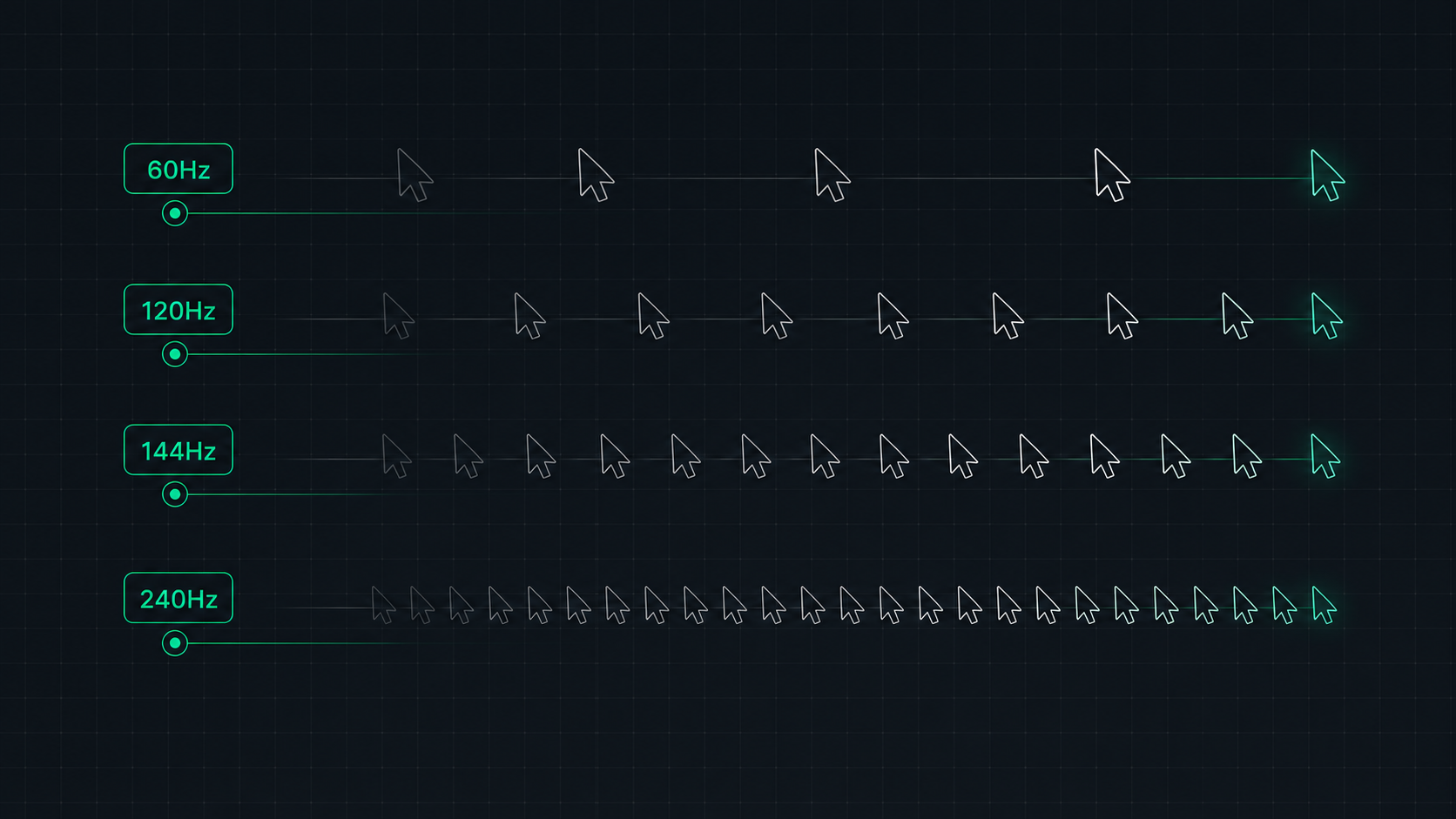
Understand monitor refresh rates and how they impact gaming, video, and everyday use. Learn the real difference between 60Hz, 120Hz, 144Hz, and 240Hz displays and which is right for your setup in 2026.
What Is Refresh Rate?
Refresh rate is the number of times per second your monitor completely redraws the image on screen, measured in Hertz (Hz). A 60Hz monitor shows 60 complete frames per second. A 144Hz monitor shows 144 frames per second. The higher the refresh rate, the smoother motion appears — and the more responsive your display feels.
Think of it like a flipbook animation: more pages per second means smoother movement. The difference between 60Hz and 144Hz is immediately obvious to almost everyone when they first experience it.
Refresh Rate vs Frame Rate (Hz vs FPS)
These are two separate but linked concepts:
- Refresh rate (Hz) — Your monitor's capability. How many times per second the panel can update.
- Frame rate (FPS) — Your GPU's output. How many frames per second your graphics card renders.
To benefit from a 144Hz monitor, your GPU needs to produce enough frames to fill it. If you're gaming at 60 FPS, you get no benefit from a 144Hz panel for that game. Conversely, if your GPU outputs 300 FPS but you have a 60Hz monitor, you're "wasting" 240 of those frames — though you may still benefit from reduced input lag via technologies like G-Sync and FreeSync.
60Hz vs 120Hz vs 144Hz vs 240Hz: At a Glance
| Refresh Rate | Frame Duration | Best For | GPU Requirement |
|---|---|---|---|
| 60Hz | 16.7ms per frame | Productivity, casual gaming, console gaming | Any GPU |
| 120Hz | 8.3ms per frame | Console gaming (PS5/Xbox), all-around smooth use | Mid-range |
| 144Hz | 6.9ms per frame | PC gaming — the standard for smooth gameplay | Mid-range to high |
| 165Hz | 6.1ms per frame | PC gaming — incremental improvement over 144Hz | Mid-range to high |
| 240Hz | 4.2ms per frame | Competitive esports gaming | High-end GPU |
| 360Hz+ | 2.8ms per frame | Professional esports | Top-tier GPU |
60Hz: Is It Still Acceptable in 2026?
For productivity tasks — document editing, spreadsheets, web browsing — 60Hz is completely fine. However, for gaming, 60Hz feels noticeably less smooth compared to higher refresh rates. Scrolling in browsers and moving windows also feels slightly "laggy" after experiencing 144Hz+.
Recommended for: Secondary productivity monitors, office use, console gaming where 60FPS is the target.
120Hz: The Console Sweet Spot
120Hz has become the standard for console gaming in 2026. PlayStation 5 and Xbox Series X target 120fps in many games, making a 120Hz display essential to unlock their full potential. 120Hz is a massive improvement over 60Hz and covers most casual and mid-level gaming needs.
144Hz: The PC Gaming Standard
144Hz is the current standard for PC gaming monitors and for good reason — it provides a massive smoothness improvement over 60Hz while remaining achievable by mid-range GPUs like the RTX 4070 or RX 7800 XT at 1440p in most games. The difference between 60Hz and 144Hz is immediately apparent; the difference between 144Hz and 240Hz requires direct comparison to notice reliably.
Recommended for: Most PC gamers, all-around use. The best balance of cost, GPU accessibility, and visual smoothness.
240Hz and Beyond: For Competitive Esports
240Hz+ is designed for competitive gamers where the goal is maximum advantage in fast-paced titles. Games like CS2, Valorant, Apex Legends, and Fortnite can run at 240+ FPS on high-end hardware, and the reduced frame time (4.2ms vs 6.9ms at 144Hz) provides a measurable advantage in reaction-time-critical scenarios.
The human eye can perceive changes faster than 240Hz in some conditions, which is why 360Hz and 500Hz monitors exist for professional esports — but diminishing returns are strong above 240Hz for most users.
Adaptive Sync: G-Sync and FreeSync
Adaptive sync technologies (NVIDIA G-Sync, AMD FreeSync) synchronize your monitor's refresh rate to your GPU's frame rate in real time. This eliminates screen tearing (horizontal image splits) and reduces stuttering when FPS doesn't precisely match the monitor's refresh rate. In 2026, FreeSync Premium and G-Sync Compatible monitors at 144Hz are strongly recommended for a smooth, tear-free gaming experience.
Check Your Current Refresh Rate
Use our Refresh Rate Test to verify the exact refresh rate your monitor is currently running — and confirm that your system is actually running at the rate you paid for.
ScreenInspector Editorial & Hardware Team
Verified Display AnalystWritten and verified by display engineers and hardware analysts. Data is cross-referenced with browser API standards, panel manufacturer datasheets, and physical pixel density metrics.
Frequently Asked Questions
What is monitor refresh rate?
Monitor refresh rate, measured in Hertz (Hz), is the number of times per second your display updates the image on screen. A 60Hz monitor refreshes 60 times per second, a 144Hz monitor refreshes 144 times per second. Higher refresh rates produce smoother motion and reduce perceived motion blur.
Is 144Hz vs 60Hz a noticeable difference?
Yes — the jump from 60Hz to 144Hz is one of the most noticeable monitor upgrades possible. Most people immediately perceive the smoother motion, reduced blur, and more responsive feel of 144Hz, especially in gaming and fast-scrolling applications. It is a much larger perceived improvement than a resolution upgrade.
Do you need 240Hz for gaming?
240Hz is primarily beneficial for competitive esports players in fast-paced games like CS2, Valorant, or Fortnite where every millisecond matters. For most gamers, 144Hz is sufficient and provides an excellent experience. The jump from 144Hz to 240Hz offers diminishing returns compared to the 60Hz to 144Hz upgrade.
Does refresh rate affect input lag?
Yes — higher refresh rates reduce the time between you taking an action (clicking the mouse) and seeing the result on screen. At 60Hz, each frame is displayed for 16.7ms. At 240Hz, each frame is displayed for only 4.2ms. This means your inputs are reflected on screen faster, improving responsiveness in competitive gaming.
What is the difference between Hz and FPS?
Hz (Hertz) is your monitor's refresh rate — how many times the display updates per second. FPS (Frames Per Second) is how many frames your GPU renders per second. To benefit from 144Hz, your GPU needs to output at least 144 FPS in your game. If your GPU only reaches 80 FPS, you won't see any benefit from a 144Hz monitor over a 80Hz one for that game.