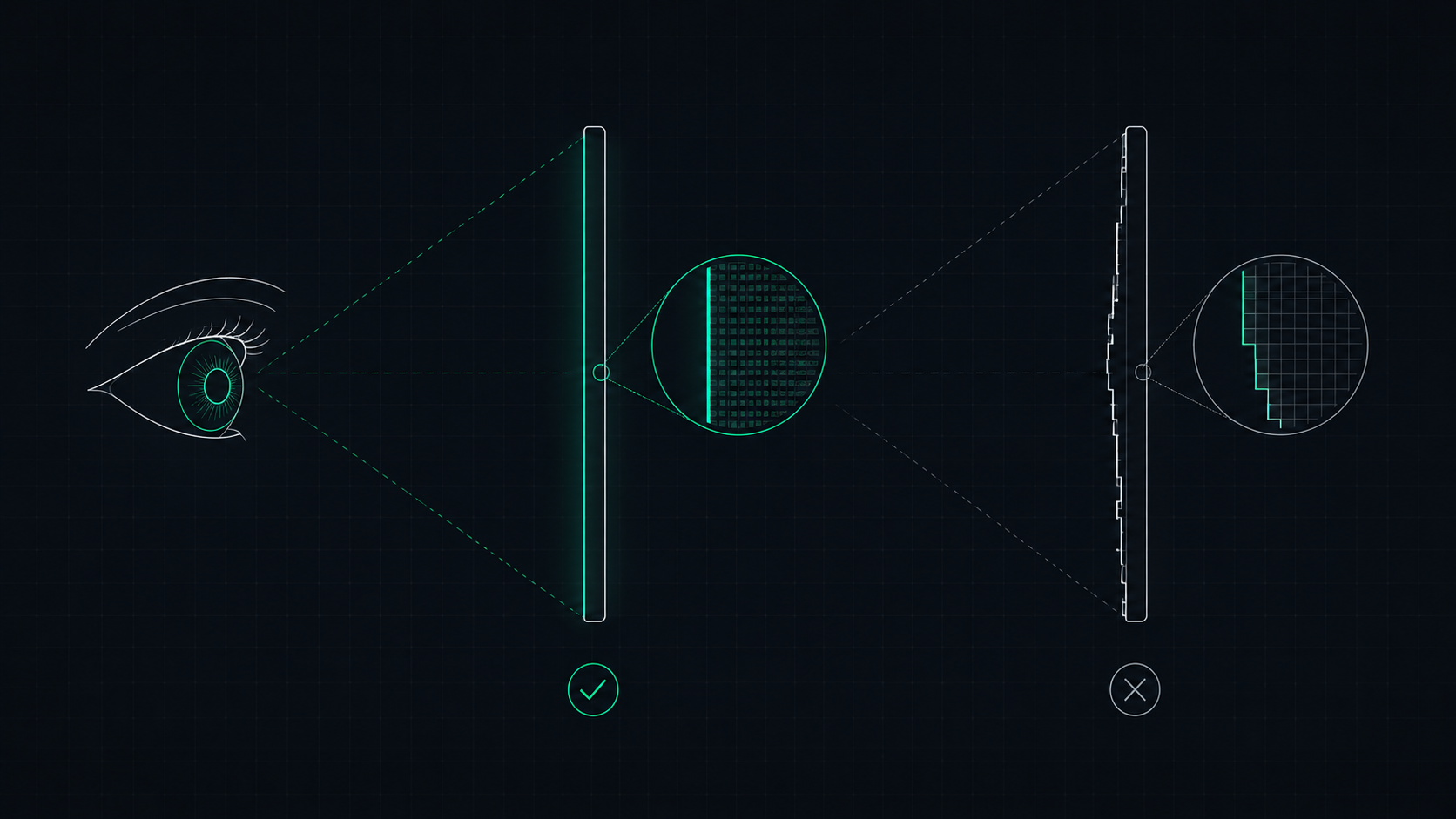
Apple's Retina display is a screen where pixels are so dense that the human eye cannot distinguish individual pixels at a normal viewing distance. Learn what makes a display Retina, what PPI qualifies, and how to check if your screen is Retina-quality.
What Is a Retina Display?
A Retina display is Apple's trademarked name for any screen where the pixel density is high enough that the human eye cannot distinguish individual pixels at a normal viewing distance. Apple first introduced the term with the iPhone 4 in 2010, which featured a 326 PPI screen — significantly sharper than any smartphone at the time.
The key insight behind Retina is that it's not just about PPI — it's about PPI relative to viewing distance. A screen you hold 25cm from your face needs far more pixels per inch to look sharp than a monitor you sit 70cm away from.
The Science Behind "Invisible Pixels"
The human eye has a maximum angular resolution of approximately 1 arcminute (1/60th of a degree). Apple uses this biological limit to determine the minimum PPI at which pixels become invisible at each device's expected viewing distance.
For example: At 25cm (typical phone distance), individual pixels become invisible when PPI exceeds approximately 300. At 70cm (typical monitor distance), that threshold drops to around 109 PPI — which is why Apple's 5K iMac at ~218 PPI is considered "Retina" while even a 109 PPI monitor at arm's length can technically qualify for desktop distances.
Retina PPI Thresholds by Apple Device
| Apple Device | Typical PPI | Viewing Distance | Retina Threshold |
|---|---|---|---|
| iPhone (standard) | 326 PPI | ~25cm | ~300 PPI |
| iPhone Pro (Super Retina XDR) | 460 PPI | ~25cm | ~300 PPI |
| iPad (standard) | 264 PPI | ~40cm | ~220 PPI |
| MacBook Pro 14"/16" | 254 PPI | ~60cm | ~218 PPI |
| MacBook Air 13" | 224 PPI | ~60cm | ~218 PPI |
| iMac 24" (4.5K) | 218 PPI | ~70cm | ~140 PPI |
| Studio Display 27" (5K) | 218 PPI | ~70cm | ~140 PPI |
Retina vs Non-Retina: Real-World Differences
The practical benefits of a Retina display are most apparent in:
- Text rendering: Font edges appear crisp and smooth instead of jagged and stair-stepped
- Photographs: Fine details in hair, fabric, and textures are clearly visible
- UI elements: Icons, buttons, and thin UI lines appear clean and precise
- Reading comfort: Extended reading sessions are more comfortable because the eye does not strain to "smooth over" pixelation
Can Non-Apple Monitors Be "Retina Quality"?
Absolutely — "Retina" is just Apple's brand name. Any monitor with equivalent PPI provides the same visual benefit. Examples of non-Apple displays that meet or exceed Retina thresholds for desktop viewing:
- 27" 4K monitor (163 PPI) — Well above the ~140 PPI desktop Retina threshold
- 32" 4K monitor (138 PPI) — Just at the threshold for 70cm viewing distance
- 24" 4K monitor (183 PPI) — Exceeds Retina threshold comfortably
A 27-inch 1440p monitor at 109 PPI sits right at the boundary — it is not "Retina" in Apple's strict definition, but at typical desktop viewing distances (70–80cm), most people cannot perceive individual pixels.
How to Check if Your Screen Is Retina Quality
Use our free PPI Calculator. Enter your screen's resolution and physical diagonal size to instantly calculate:
- Your display's actual PPI
- Your dot pitch (pixel size in millimeters)
- Whether your display meets Apple's Retina threshold for your device type
No download required — the calculator runs entirely in your browser.
Retina and Display Scaling
All Retina displays use integer scaling (usually 2×) to keep UI elements readable. Without scaling, text on a 5K iMac would be impossibly small. macOS renders everything at 2× the logical resolution, then the display shows it at its native resolution — producing razor-sharp text without any blurriness from non-integer scaling.
Windows uses a similar HiDPI system at 125%, 150%, or 200% scaling. For the sharpest results on a Windows 4K monitor, use 200% scaling (equivalent to 2× like macOS).
ScreenInspector Editorial & Hardware Team
Verified Display AnalystWritten and verified by display engineers and hardware analysts. Data is cross-referenced with browser API standards, panel manufacturer datasheets, and physical pixel density metrics.
Frequently Asked Questions
What is a Retina display?
A Retina display is Apple's marketing term for a screen with a high enough pixel density (PPI) that the human eye cannot see individual pixels at a normal viewing distance. Apple defines the Retina threshold differently for each device — approximately 300 PPI for iPhones, 220 PPI for iPads, and 218 PPI for MacBooks.
What PPI qualifies as Retina?
There is no single universal PPI threshold. Apple's Retina standard is relative to viewing distance. For iPhones (held 25–30cm away), Retina requires about 300+ PPI. For iPads (~40cm) it's ~220 PPI. For MacBooks (~60cm) it's ~218 PPI. For iMacs viewed from 70+ cm, the threshold is lower — around 108–163 PPI.
Is Retina display better than regular?
Yes — Retina displays produce sharper text, smoother curves, and more detailed images because individual pixels are invisible to the eye. The improvement is most noticeable when reading text, viewing photos, and using UI elements with fine details like icons and charts.
Do non-Apple monitors have Retina quality?
Non-Apple monitors can achieve equivalent pixel density. A 27-inch 5K monitor at 218 PPI meets Apple's MacBook Retina standard. A 27-inch 4K monitor at 163 PPI exceeds the threshold for desktop viewing distance. 'Retina' is Apple's brand name — any high-PPI display offers the same optical benefit.
How can I check if my display is Retina quality?
Use our PPI Calculator — enter your screen's resolution and physical size to calculate its PPI. Then compare to the Retina threshold for your viewing distance: ~300 PPI for phone distance, ~220 PPI for tablet distance, ~218 PPI for laptop distance, ~109 PPI for desktop distance.