Learn how to use a PPI calculator to find your monitor's pixels per inch, understand what the number means, and compare pixel density across popular monitors, phones, and TVs.
What Is a PPI Calculator?
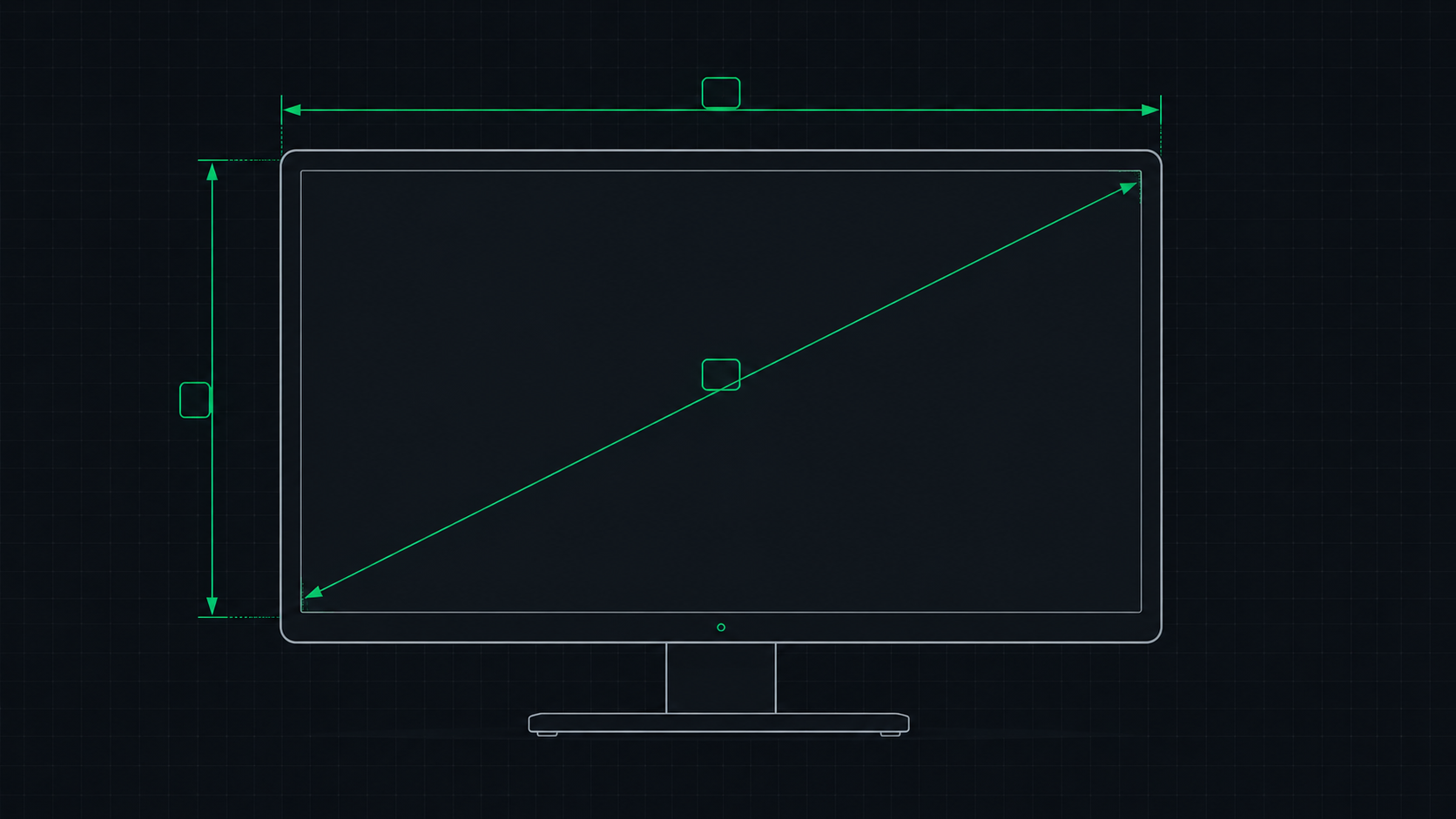
A PPI calculator is a tool that computes the pixel density of any display by taking two inputs: the screen's resolution (in pixels) and its physical diagonal size (in inches). It then outputs the PPI (Pixels Per Inch) — a single number that tells you how sharp the display is.
Our free online PPI Calculator does this instantly in your browser. No download, no account needed.
How to Use the PPI Calculator
- Find your monitor's resolution — e.g., 2560×1440. This is in your monitor's spec sheet or display settings.
- Find your screen size in inches — e.g., 27 inches (diagonal, not including bezel). This is usually in the model name (e.g., "Dell S2722DC 27 inch").
- Enter both values into our PPI Calculator.
- Get your results — PPI, dot pitch, and whether your display meets the Retina threshold.
The PPI Formula (Manual Calculation)
If you want to calculate PPI yourself, here's the formula:
- Diagonal resolution = √(width_px² + height_px²)
- PPI = Diagonal resolution ÷ Screen size in inches
Example: 27-inch monitor at 2560×1440:
- Diagonal = √(2560² + 1440²) = √(6,553,600 + 2,073,600) = √8,627,200 ≈ 2937.6
- PPI = 2937.6 ÷ 27 ≈ 109 PPI
PPI of Popular Monitors (2025–2026)
| Monitor | Size | Resolution | PPI | Dot Pitch |
|---|---|---|---|---|
| Standard 1080p | 24" | 1920×1080 | 92 | 0.276mm |
| Standard 1080p | 27" | 1920×1080 | 82 | 0.311mm |
| QHD (sweet spot) | 27" | 2560×1440 | 109 | 0.233mm |
| QHD | 32" | 2560×1440 | 92 | 0.276mm |
| 4K | 27" | 3840×2160 | 163 | 0.156mm |
| 4K | 32" | 3840×2160 | 138 | 0.184mm |
| Apple Studio Display | 27" | 5120×2880 (5K) | 218 | 0.117mm |
| Ultrawide 1440p | 34" | 3440×1440 | 110 | 0.231mm |
PPI of Popular Phones and Laptops
| Device | Screen | Resolution | PPI |
|---|---|---|---|
| iPhone 16 | 6.1" | 2556×1179 | 460 |
| iPhone 16 Pro Max | 6.9" | 2868×1320 | 460 |
| Samsung Galaxy S25 | 6.2" | 2340×1080 | 416 |
| Google Pixel 9 | 6.3" | 2424×1080 | 422 |
| MacBook Pro 16" M4 | 16.2" | 3456×2234 | 254 |
| MacBook Air 13" M3 | 13.6" | 2560×1664 | 224 |
| Dell XPS 15 (4K) | 15.6" | 3840×2400 | 282 |
What Does Your PPI Score Mean?
| PPI Range | Assessment | Notes |
|---|---|---|
| Below 80 PPI | Low — pixels visible | Only acceptable for very large screens viewed from a distance |
| 80–100 PPI | Average | Acceptable for 24" 1080p; some pixelation on larger screens |
| 100–130 PPI | Good | 27" 1440p range — excellent for most desktop use |
| 130–160 PPI | Very sharp | 32" 4K range — exceeds Retina threshold for desktop distance |
| 160–220 PPI | Retina quality | 27" 4K / MacBook range — pixels completely invisible |
| 220+ PPI | Super Retina | Apple Studio Display, MacBook Pro, phones — ultra crisp |
Calculate Your Monitor's PPI Now
Use our free PPI Calculator — enter your resolution and screen size to instantly get your PPI, dot pitch, and Retina assessment. The tool works for monitors, laptops, TVs, and phones.
ScreenInspector Editorial & Hardware Team
Verified Display AnalystWritten and verified by display engineers and hardware analysts. Data is cross-referenced with browser API standards, panel manufacturer datasheets, and physical pixel density metrics.
Frequently Asked Questions
How do I calculate my monitor's PPI?
To calculate PPI: (1) Find your diagonal pixel count using √(width² + height²). (2) Divide by your physical screen diagonal in inches. For a 27-inch 2560×1440 monitor: diagonal pixels = √(2560² + 1440²) ≈ 2938. PPI = 2938 ÷ 27 ≈ 109 PPI. Or use our free PPI Calculator to do this instantly.
What is a good PPI for a gaming monitor?
For gaming, 100–130 PPI is the sweet spot. A 27-inch 1440p monitor at 109 PPI provides excellent image sharpness while keeping GPU demands manageable. 163 PPI (27-inch 4K) is even sharper but requires a powerful GPU to maintain high frame rates.
Where can I find my monitor's screen size in inches?
Your monitor's diagonal screen size is listed in its model name or product specifications. Common sizes include 24 inch, 27 inch, and 32 inch. This is the physical measurement from corner to corner diagonally across the display panel (not including the bezel/frame).
What is the PPI of an iPhone 16?
The iPhone 16 has a 6.1-inch display at 2556×1179 pixels, giving it approximately 460 PPI. The iPhone 16 Pro Max with its 6.9-inch Super Retina XDR OLED display has approximately 460 PPI as well.